
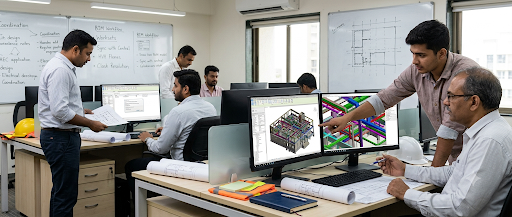

Building projects involve many people working on connected design tasks, from structural layouts to architectural plans and building services. When information is scattered across separate files, updates can be missed, and teams may work from different versions. A coordinated digital process helps everyone understand how their decisions affect the wider building. For learners exploring civil engineering training, Revit worksharing offers a practical way to understand collaborative modelling, shared information, and consistent documentation.
Worksharing allows multiple team members to contribute to a central project model while managing their own areas of responsibility. Learning its principles helps future engineers coordinate changes carefully instead of treating modeling as an isolated software activity.
Why Shared Models Matter in Building Design
A shared model creates a common reference for project information. Team members can develop assigned elements, review related views, and communicate changes within an organized workflow. This approach can reduce duplicated effort and make it easier to identify inconsistencies before drawings are issued.
However, collaboration depends on clear working rules. Teams need to know who owns particular elements, how files are synchronized, and when changes should be reviewed. Training helps learners understand these responsibilities alongside the technical commands used in Revit.
Essential Worksharing Skills to Practise
Worksharing becomes more effective when users understand both model structure and team procedures. Practice should cover the setup of shared files, the handling of ownership, and the review of updates, while keeping the model clear and reliable for other disciplines.
-
Setting Up a Central Model
A workshared project generally uses a central model as the shared source of project information, with team members working through local copies or supported cloud workflows. Learners should understand how the project is prepared, how access is managed, and how the team identifies the current model. A careful setup gives collaborators a common starting point and reduces confusion over which file should be used.
-
Understanding Worksets and Element Ownership
Worksets help organize parts of a project and can support team workflows by grouping related elements. Element borrowing or ownership rules also affect whether another person can edit a component. Learners should practise requesting access, releasing ownership when appropriate, and communicating before changing elements that another team member is using. These habits make collaboration more predictable.
-
Synchronizing Changes Responsibly
Synchronizing allows local work to be shared with the central model, while updates from others can be incorporated into a user’s working view. It is important to understand when to synchronize, how to review changes, and how to resolve conflicts carefully. Frequent communication and sensible timing can help prevent team members from unknowingly working with outdated information.
-
Linking Models From Other Disciplines
Structural models often need to be coordinated with architectural and building services information. Linking models lets teams compare layouts and identify possible clashes involving beams, ducts, shafts, openings, and other elements. Learners should practise checking alignment, levels, and shared coordinates, while remembering that linked information must be reviewed rather than assumed to be correct.
-
Keeping Views and Drawings Consistent
Revit connects model information with plans, sections, elevations, and schedules. When the model changes, related views may update, but users must still review dimensions, tags, annotations, and sheet layouts. Training should include drawing checks so that issued documentation communicates the intended design clearly and does not contain overlooked or confusing details.
Coordination Requires More Than Software Commands
Good coordination combines technical ability with disciplined communication. Before modeling begins, a team should agree on file naming, model locations, levels, grids, element responsibilities, and the process for reporting design changes. Clear standards help team members understand where information belongs and how to raise issues without creating unnecessary delays.
Practical learning also shows how these decisions affect project delivery. As part of training in civil engineering, learners can practise linking structural and architectural models, reviewing a changed beam location, and checking whether connected drawings remain consistent. Such exercises encourage users to think beyond individual commands and consider how each update affects colleagues and documentation.
Common Worksharing Problems to Watch For
Worksharing can become less effective when project information is poorly managed or team members follow inconsistent procedures. Recognising common issues helps engineers maintain accurate models, avoid unnecessary delays, and improve communication throughout the design process.
- Unclear File Versions: Confirm the approved project location and use agreed naming rules.
- Unreleased Ownership: Release borrowed elements when editing is complete and communicate access needs.
- Inconsistent Coordinates: Check levels, grids, and shared coordinates before linking models.
- Unreviewed Updates: Synchronize at suitable intervals and examine changes from other contributors.
- Missing Drawing Checks: Review annotations, dimensions, schedules, and sheets before issuing documents.
- Poor Team Communication: Record decisions and inform relevant members when design changes affect their work.
Turning Practice Into a Reliable Workflow
A useful learning exercise follows a small project from setup through documentation. Learners can create a structural model, establish worksets, link a sample architectural model, and coordinate selected changes with a partner. They can then synchronize updates, review the combined model, and prepare drawings that communicate the revised arrangement. This process connects individual tools with the sequence of decisions required in a real project.
Feedback is equally important. Reviewing a model with an instructor or peer can reveal unclear naming, unnecessary complexity, coordination conflicts, and drawing errors that may not be obvious to the person who created it. Repeating the workflow with new constraints helps learners develop a consistent method rather than relying on memory alone. Teams should also follow their project’s information-management standards, since specific procedures can differ by organization and software environment. It helps teams track revisions, clarify responsibilities, and keep project information aligned as design decisions change across the project work.
Conclusion
Revit worksharing supports better design coordination when users understand how to share models, manage element ownership, synchronize changes, link discipline files, and check documentation. These skills help reduce avoidable confusion and encourage a collaborative approach to building design. They do not replace engineering judgment or formal reviews, but they make project information easier to organize, discuss, and maintain.
For learners seeking practical, project-oriented instruction, Civilera offers training in Revit Structures, structural modeling, detailing, and related design software. Its courses focus on workflows used in building projects, helping learners connect software operations with engineering tasks. Those who want to extend their structural analysis knowledge can also explore etabs software for civil engineering, adding another useful skill to a broader understanding of coordinated structural design.