
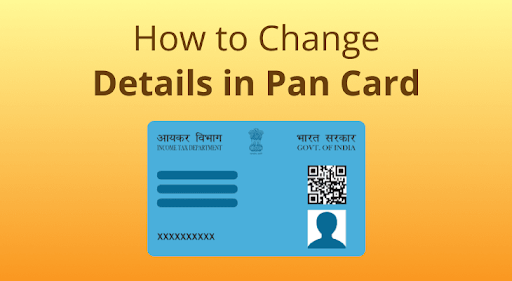
The Permanent Account Number (PAN) is a unique 10-character code issued to taxpayers by the Income Tax Department of India. Whether you’re an individual or corporate entity, your PAN serves as an essential identification tool for all financial transactions and tax-related activities. Over time, you may have to modify details on your PAN card due to errors or changes, which is where the PAN Card Update Form comes in. Additionally, knowing how to verify PAN details is equally important for ensuring accuracy. In this guide, we’ll explore how to update your PAN card and check your PAN details by PAN number, step by step.
Why is the PAN Card Update Form Important?
Mistakes or outdated information can lead to complications in tax filing, financial transactions, or other legal processes. The PAN Card Update Form makes it easy to rectify errors, update your name after a marriage, or even change your address. This ensures your PAN card stays accurate and reliable for all formalities.
Similarly, verifying your PAN details by PAN number is crucial for confirming credentials, preventing fraud, and maintaining compliance with legal norms. This is especially useful for businesses verifying employee data or individuals checking the accuracy of their own records.
How to Access the PAN Card Update Form
The process of updating your PAN card is straightforward. The PAN correction/update form can be accessed online via NSDL e-Gov or UTIITSL portals. Follow these instructions:
Steps to Use the PAN Card Update Form
- Visit the Official Portal: Navigate to either the NSDL e-Gov or UTIITSL PAN services portal.
- Select ‘PAN Card Correction’: On the homepage, select the option to update or correct PAN card details.
- Fill Out the Form: Enter the required information, including your existing PAN number, and make necessary corrections/upload supporting documents.
- Pay the Processing Fee: A nominal fee is charged for processing updates. Ensure the transaction is successful to avoid delays.
- Submit the Application: Complete the submission by verifying your details. You’ll receive an acknowledgment with a 15-digit number for tracking.
Checking PAN Details by PAN Number
It’s easy to verify the accuracy of your PAN details using your unique PAN number. This process is commonly used to confirm name, date of birth, and jurisdiction tied to your PAN.
How to Check PAN Details Using Your PAN Number
- Access the Income Tax Portal: Visit the Income Tax Department’s official site.
- Use the ‘Know Your PAN’ Feature:
- Locate the ‘Verify Your PAN Details’ section.
- Enter your PAN number and Captcha code.
- Submit Information: Upon submission, your PAN details, including name and jurisdiction, will be displayed instantly.
- Cross-Verify Information: Match displayed details with your current PAN card to ensure accuracy.
Key Documents Required for PAN Update
Whenever you use the PAN Card Update Form, certain documents are necessary for validation purposes. These include:
- Proof of Identity: Passport, Aadhaar card, driving license, or voter ID card.
- Proof of Address: Utility bills (electricity/water bills), passport, or bank statements.
- Proof of Date of Birth: Birth certificate, Aadhaar card, or school certificates.
- Supporting Documents (where applicable): Marriage certificate in case of name change after marriage, and legal affidavits for corrections/updates.
Ensure scanned copies are clear and legible to avoid rejections during the process.
FAQs: All You Need to Know About PAN Updates
Q1. How long does it take to update details via the PAN Card Update Form?
The process typically takes 15–20 working days after successfully submitting your application and documents.
Q2. Do I need to surrender the old PAN card after updating details?
No, you don’t have to surrender the old PAN card. Once updates are processed, you will receive the corrected PAN card via post.
Q3. Can I check PAN details by PAN number without logging in?
Yes, you can use the ‘Verify Your PAN Details’ option available on the Income Tax Department’s website without logging in.
Q4. Can I update my PAN card offline?
Yes, offline updates can be made by submitting the PAN Card Update Form at designated TIN-Facilitation Centres or UTIITSL PAN service centers.
Tips to Keep Your PAN Card Updated
To avoid unnecessary hassles, here are some tips for managing your PAN card information:
- Regular Verification: Periodically verify your PAN details by PAN number via the government portal.
- Prompt Corrections: Use the PAN Card Update Form to immediately correct errors related to name, address, or signature.
- File Updates for Financial Changes: If you move to a new city or change official names post-marriage, ensure updates are reflected in your PAN card.
Conclusion
Your PAN card not only serves as your identity but also acts as an essential tool for everyday financial transactions and compliance. Keeping it updated using the PAN Card Update Form—including resources provided by Bajaj Finserv—will save you from hassles down the line. Whether it’s updating your information or verifying PAN details by PAN number, the process is simpler than ever with government-provided portals. Address errors today to avoid last-minute complications in tax filings and financial dealings.
Call-To-Action
Ready to update your PAN card or verify its details? Visit the NSDL e-Gov portal or the Income Tax Department website to get started. Stay compliant and ensure your financial identity is always accurate!
With this guide, navigating the process of updating your PAN card and verifying details has never been easier. Keep your PAN information updated, secure, and ready for financial transactions.