
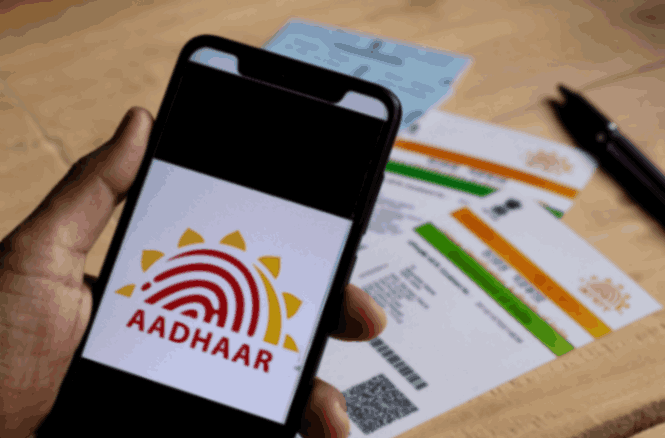

In a country as vast and diverse as India, the Aadhaar card has emerged as an essential tool for identity verification. As a unique identifier, the Aadhaar card is crucial for availing various government schemes and services. However, with changing life circumstances, it’s sometimes necessary to update your Aadhaar card details. This article will guide you through a seamless process to update your Aadhaar card details online without hassle, while also covering the process of Aadhaar card download. By the end of this guide, you’ll have a clear understanding of how to manage your Aadhaar card successfully.
Why Update Your Aadhaar Card?
Before diving into the process, it’s essential to understand why an updated Aadhaar card is necessary. Accurate details on your Aadhaar card ensure that you avoid any discrepancies during identity verification. Whether it’s an address change, a new mobile number, or a name correction, keeping your Aadhaar card updated helps maintain consistency across various documents and services.
Prerequisites for Aadhaar Card Update
- Registered Mobile Number: Ensure that your mobile number is linked to your Aadhaar as it is crucial for receiving the One-Time Password (OTP) during the update process.
- Necessary Documents: Gather proofs such as address proof or identity documents that are required for the specific update you wish to make.
Steps to Update Aadhaar Card Details Online
Updating your Aadhaar card details online involves a straightforward process. Let’s break down the steps:
Step 1: Visit the UIDAI Website
To begin the process, visit the official website of the Unique Identification Authority of India (UIDAI) at https://uidai.gov.in. This website provides a user-friendly interface to navigate through various Aadhaar-related services, including the Aadhaar card update.
Step 2: Access the ‘Update Aadhaar’ Section
On the homepage, look for the ‘My Aadhaar’ section. Under this, you’ll find ‘Update Your Aadhaar’ options. Click on this link to proceed with the Aadhaar card update process.
Step 3: Enter Your Aadhaar Number
You’ll be prompted to enter your 12-digit Aadhaar number. After inputting the number, complete the security check by entering the CAPTCHA and click on ‘Send OTP’. The OTP will be sent to your registered mobile number.
Step 4: Enter OTP
Once you receive the OTP, enter it in the given field to verify your identity. This step is crucial for ensuring that only authorized users can make changes to their Aadhaar card details.
Step 5: Choose the Details to Update
After successful OTP validation, you’ll be directed to a page that lists the information you can update online. Typically, you can update your address, phone number, email ID, and more. For these updates, the ssup uidai portal is particularly useful, offering a streamlined platform for making necessary changes with ease. Select the fields you wish to update and proceed.
Step 6: Upload Supporting Documents
For specific updates, such as an address change, you’ll need to upload supporting documents. Ensure that the documents are clear, legible, and in the approved format. The UIDAI website provides a list of acceptable documents for reference.
Step 7: Submit the Update Request
Once the documents are uploaded, review your changes carefully. After verifying that all information is correct, submit your update request. You will receive an Update Request Number (URN) for future reference.
Step 8: Track the Update Status
You can track the status of your Aadhaar card update using the URN provided. Visit the UIDAI website and navigate to the ‘Check Update Status’ link under the ‘Update Aadhaar’ section. Enter your URN and check the current status of your request.
Downloading Your Updated Aadhaar Card
Once your Aadhaar card update is processed, it’s time to download the updated Aadhaar card. The process for Aadhaar card download is as follows:
Step 1: Visit the UIDAI Website
Navigate back to the UIDAI website and look for the ‘Download Aadhaar’ option under the ‘My Aadhaar’ section.
Step 2: Enter Required Information
Enter your Aadhaar number or Enrollment ID along with the security CAPTCHA. Click on ‘Send OTP’ and check your registered mobile for the OTP.
Step 3: Authenticate with OTP
Enter the received OTP and complete the authentication process. You’ll then be directed to the Aadhaar card download page.
Step 4: Download and Print
After successful authentication, your updated Aadhaar card will be available for download in a PDF format. This file will be password-protected, and the password typically is the first four letters of your name in CAPITAL letters followed by your birth year in YYYY format. Once downloaded, you can print your updated Aadhaar card for use.
Benefits of Online Aadhaar Card Update
Updating your Aadhaar card online offers several benefits, including:
- Convenience: You can update your Aadhaar card details from the comfort of your home without the need to visit a physical center.
- Time-Saving: The online process is quicker compared to offline methods, saving time and effort.
- Efficiency: Online systems reduce the chance of errors and expedite the verification process.
- Accessibility: The online service is available 24/7, enabling you to initiate the update process at your convenience.
Common Issues and Solutions
While the process of Aadhaar card update is designed to be user-friendly, some common issues might arise. Here are possible solutions:
– Document Rejection: Ensure that the uploaded documents are clear and meet the necessary requirements. Double-check the list of acceptable documents on the UIDAI website.
– Mobile Number Not Registered: If your mobile number is not registered, you must get it updated at the nearest Aadhaar Enrollment Center before proceeding with online updates.
– Technical Glitches: If you encounter technical issues, try using a different browser or clear your browser cache. Persisting issues can be reported to the UIDAI helpline for assistance.
Conclusion
Maintaining updated Aadhaar card details is crucial for hassle-free access to a range of services and benefits. With advancements in technology, the UIDAI provides an easier and faster way to update Aadhaar card details online. Whether you’re updating your address, adding a mobile number, or correcting other details, the online process is designed to be efficient and user-friendly.
By leveraging online resources like ssup uidai for Aadhaar card download and updates, you can ensure that your identity proof remains accurate and up to date, minimizing potential complications and enhancing your access to various facilities. Stay proactive in managing your Aadhaar card, and experience the convenience of digital identity management without hassle.