
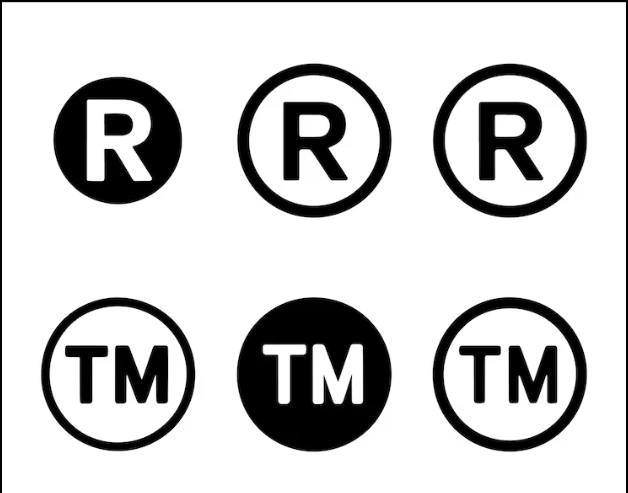

Whether you are drafting marketing copy, labeling product packaging, or creating web content, knowing how to correctly display trademark symbols communicates professionalism and legal awareness. There are three primary symbols to understand, and the method for typing each varies depending on your operating system and application.
The Three Trademark Symbols
Before getting into the mechanics, understanding which symbol to use matters:
™ (Trademark Symbol): Used to claim rights in an unregistered trademark. Any business can use this symbol on a mark they are claiming as their brand, regardless of registration status.
℠ (Service Mark Symbol): Functions like the ™ symbol but specifically applies to service marks — marks used in connection with services rather than physical products.
® (Registered Trademark Symbol): This is the symbol that indicates federal registration with the USPTO. It may only be used legally on marks that have been officially registered. Using ® on an unregistered mark is a federal violation.
How to Type Trademark Symbol on Windows
On Windows, the simplest methods for inserting how to type trademark symbol characters are as follows:
- ® symbol: Hold Alt and type 0174 on the numeric keypad (Num Lock must be on)
- ™ symbol: Hold Alt and type 0153 on the numeric keypad
- ℠ symbol: Insert via Character Map or copy from a Unicode source
In Microsoft Word, typing (r) with autocorrect enabled often automatically converts to ®, and ™ converts to ™.
How to Type the Trademark Symbol on Mac
On a Mac, the process is more intuitive:
- ® symbol: Press Option + R
- ™ symbol: Press Option + 2
- ℠ symbol: Access through the Special Characters panel (Edit menu > Emoji & Symbols or Control + Command + Space)
On Mobile Devices
On iOS and Android, trademark symbols are typically accessible through the special characters keyboard. On iOS, press and hold certain letters or punctuation to reveal alternative characters. The ® symbol can often be found by holding the R key, depending on keyboard settings.
Many keyboard apps on both platforms also support copying symbols from the clipboard if held characters are not available.
In Web and Design Applications
For HTML, trademark symbols can be inserted using standard HTML entities:
- ® = ®
- ™ = ™
- ℠ = ℠
In design applications like Adobe InDesign or Illustrator, you can insert special characters through the Glyphs panel, which provides access to every character in the active typeface.
Best Practices for Displaying Trademark Symbols
Position trademark symbols immediately after the brand name, typically in superscript. In running text, the symbols should be sized appropriately — large enough to be legible but not so large as to interrupt the flow of reading. Be consistent: use the same symbol format throughout a document or on a website.
When Should You Use ™, ℠, or ®?
Knowing how to type the registered trademark symbol is only part of using trademark symbols correctly. The symbol should match the legal status of the mark. Businesses can generally use ™ when claiming rights in a trademark that has not been federally registered. Similarly, ℠ can be used for an unregistered service mark.
The ® symbol is different. It should only be used after the mark has been officially registered with the USPTO. Registration in one country does not automatically authorize use of ® in another country, so businesses operating internationally should consider the rules that apply in each market.
Do You Need to Use a Trademark Symbol Every Time?
There is generally no requirement to place a trademark symbol after a brand name every time it appears. Businesses often use the appropriate symbol when a mark is first introduced on a page, in advertising, or in prominent brand references and then use the name without the symbol in subsequent mentions.
For registered marks, consistent use can help communicate that the brand is protected, but the symbol itself does not create trademark rights. The underlying rights come from trademark use and, where applicable, registration. Businesses should therefore focus on using the correct symbol without treating it as a substitute for trademark protection.
Conclusion
Knowing how to type the registered trademark symbol and its counterparts is a practical skill for anyone involved in brand communications, legal documentation, or product development. Using the correct symbol — ™ for unregistered marks and ® only for registered ones — reflects both legal accuracy and professional credibility.