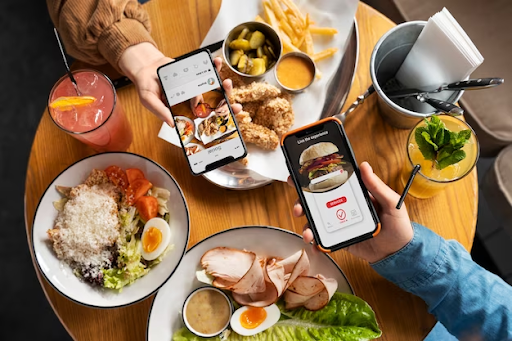


Carousel posts are one of the most amazing features on Instagram for engaging your audience. Carousel posts offer a good and interactive experience that is just beyond a single photo or video. It lets you add multiple images or videos in a single post. This gives you the potential to tell a story in more detail.
You can also share educational content or even showcase the features of your brand. This will boost engagement metrics like view and like. If not, get free Instagram views for an initial push. Now, come on; here are nine creative ways to use carousel posts on Instagram to boost your engagement.
1. Tell a Story
Carousels are perfect for storytelling because they allow you to post a long narrative into simple parts. Whether it’s your brand’s journey, the struggles behind your success, or a personal story. Make use of each slide for each chapter or segment. This keeps your viewers curious and makes them swipe for more.
Example:
- Start with a problem your audience faces.
- Continue with the solution you have.
- End with results or testimonials.
2. Show Before and After Transformations
Come on, who doesn’t love seeing transformations? Carousel post lets you showcase before and after transformations and even progressions over time. Whether it’s a makeover, a home renovation, or a fitness transformation. A carousel post lets your audience swipe through the process and see the results.
Example:
- Before and after photos of a completed project.
- Behind-the-scenes shots of a process (e.g., makeup, cooking, DIY).
3. Step-by-Step Guides
Carousels are just perfect for educational content. Especially when breaking down complex processes into simple steps. Whether you are teaching something simple or difficult, a swipe through a carousel will guide your followers through the detailed images in a simple format.
Example:
- How to Use Our Product in 5 Easy Steps
- 5 Tips for Improving Your Photography Skills
4. Showcase Multiple Products or Services
If you have a range of different products or offer multiple services, carousel posts are a great option to display them all in one single post. You can also highlight different features, benefits, or styles by giving your followers a clear overview of what you offer.
Example:
- A carousel showcasing different styles or colors of a product.
- Each slide focuses on a different service you provide.
5. Conduct a Quiz or Poll
We all know that Interactive content is one of the most effective ways to increase engagement on Instagram. So, create a fun quiz, poll, or personality test by making each slide a part of a question or challenge. You can also ask questions, give answers, and encourage your followers to swipe to know their results.
Example:
- “Coffee or Tea?” with each slide representing a different personality.
- “Guess the city” with clues and answers across multiple slides.
6. Post User-Generated Content
Upload stories or testimonials from your satisfied customers to gain trust among your audience. User-generated content (UGC) is more valuable for promoting your products or services in a genuine way. Carousel posts also let you display multiple reviews, photos, or videos.
Example:
- A carousel of different customers using your product.
- Quotes from happy customers with corresponding images.
7. Share Behind-the-Scenes Content
Let your audience take a sneak peek at the clips of your behind-the-scenes. Show them how things are made, how you are running your business, or the process behind your project. Carousels allow you to share multiple slides of your behind-the-scenes journey. This makes them feel more personal and relatable.
Example:
- Behind the scenes of a photo shoot.
- A “day in the life” of your business.
8. Create Themed Content Series
Carousels are just perfect for creating themed content that builds curiosity over multiple posts. Whether it’s a weekly series or a themed challenge. Using carousels will keep your audience returning for more and increase your profile’s consistency. If you have added them to your Instagram stories, use the best Instagram story downloader to download them and post them as carousels.
Example:
- “Weekly Workout Routine” with a carousel post for each exercise.
- A “Top 5 Tips for the Month” series.
9. Share Fun Facts or Stats
Carousels are just perfect for breaking down detailed information into simpler formats. Especially when you want to share valuable statistics, fun facts, or data insights. Use attractive graphics and simple text to turn complex information into an easy-to-understand and shareable format.
Example:
- Infographics on the benefits of your product.
- Fun facts about your industry, brand, or niche.
Let Us Wrap It Up
Carousel posts are just amazing features that will help you engage with your audience in more creative ways. By making use of these nine strategies, you can easily make use of Instagram’s carousel feature.
This will help you to showcase your brand, share valuable content, and create deeper connections with your followers. Whether you are educating, entertaining, or promoting. Carousels offer more ways to grow your online presence and drive more engagement.
Slug url: ways-to-use-instagram-carousels
Meta Description: Discover nine engaging ways to use carousels from telling a story and showing a before and after transformation to sharing fun facts on Instagram.